Overview
Understanding the Feature
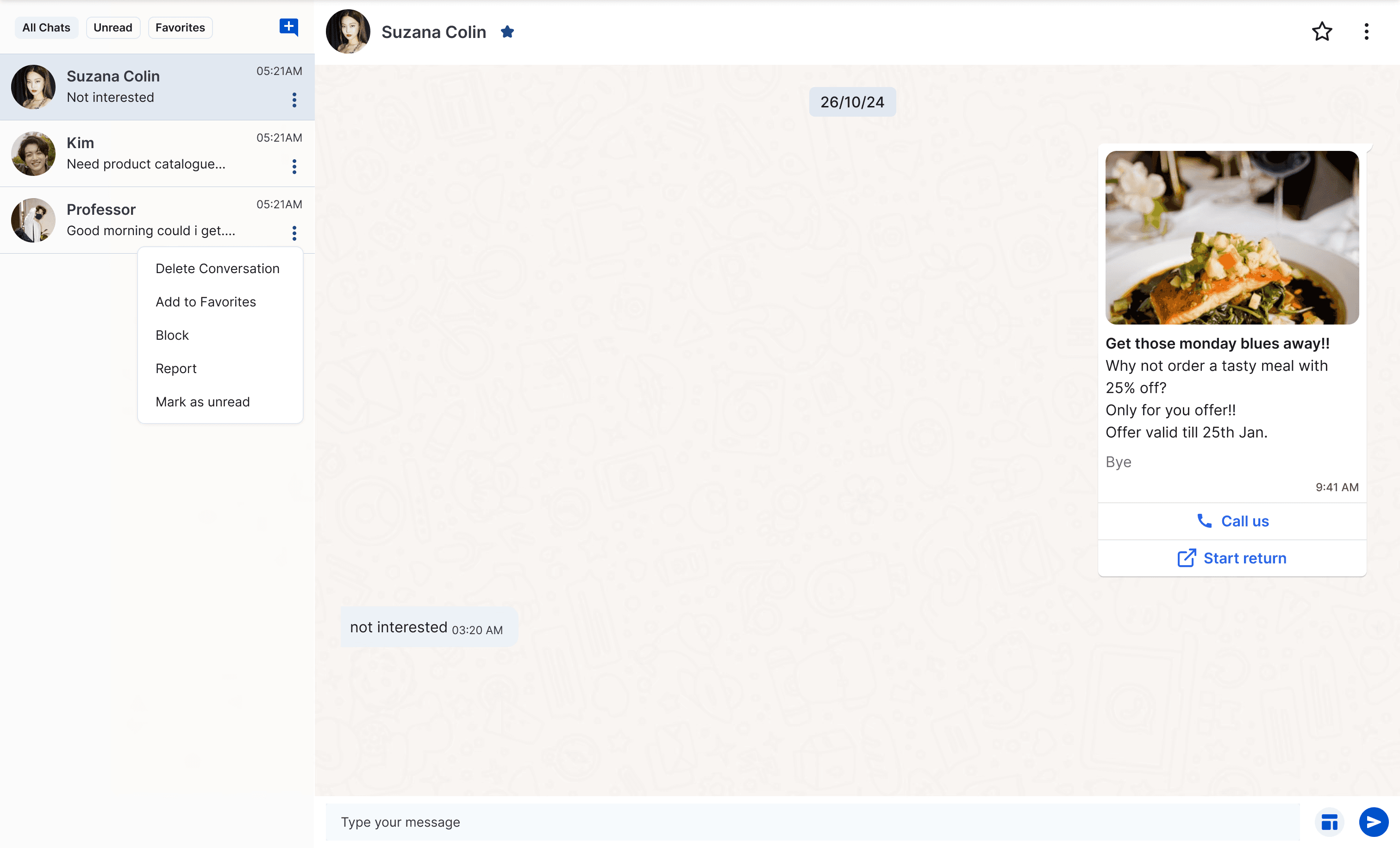
In this process the user selects a template and sends it to the customer. The message template library displays various business promotion templates and enables the user to select and send them for approval. When they get approved, the templates are ready to use and can be sent to the customers through WhatsApp.
Goal

I was given the responsibility to create an easy to navigate, message template sending experience. We wanted to dive deeper, and really connect with customers to eliminate friction, some in front of the eyes (visual design), while others unspoken but observed in interactions (ux).
Competitive Research
To understand the needs and problems of the users in their said journey, we researched how competitors like the Wati, Gallabox and AI Sensy create a more accessible and user-friendly communication experience.
Desk Research
I used the products to understand the customer journey only to find it super intimidating and confusing for a first time user. There were a lot of learnings from the flows as well. Some of the problems I came across were:
Clueless Wandering
There is no guidance for the users helping them with what to do first and what to do next. The users have to figure out everything on their own. This confusing environment could only frustrate users, increasing drop off rates.
Unintuitive UI
To my surprise, the market dominant platforms had not so attractive UI design, which could scare off the users as soon as they would login. Tacky colors, lack of hierarchy as well as proper spacing would really help the platforms.
Discoverability Issue
The experience of finding the right template is difficult due to the lack of sorting and filtering options. Users would need to scroll endlessly to find the right template, wasting their time on a small but important task.
What did the users say?
Since TrioChat was a platform being made from scratch we needed to get to real customer experience of similar platforms that are already existing in the market. I moved on to the User Reviews of these websites. Most of the reviews talked about the same concerns as I discovered in the desk research such as:





Ideation
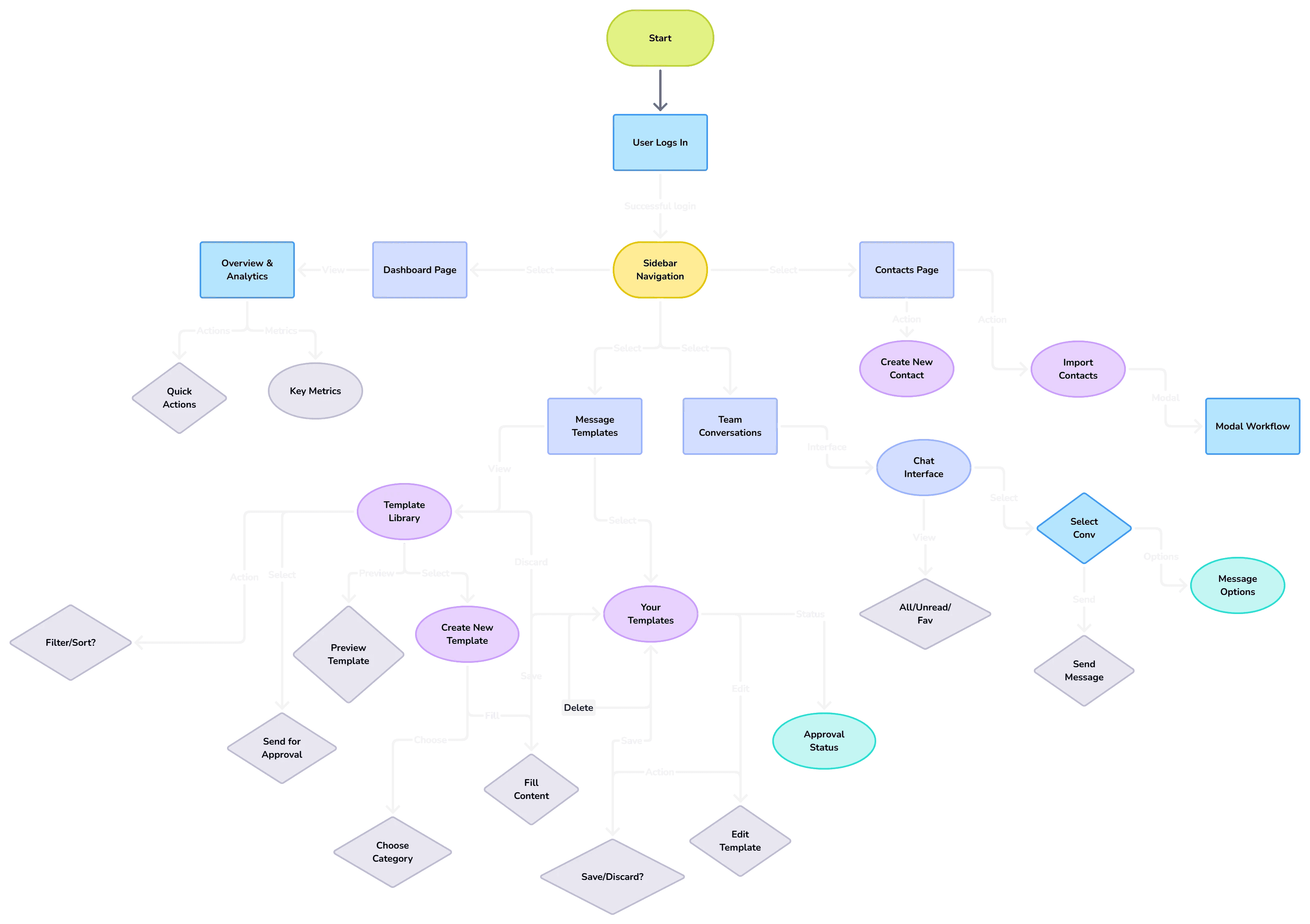
After brainstorming and working out the solutions, I mapped out a user flow to ensure clarity, consistency, and purpose-driven interactions.
Building Low fidelity Wireframes
I started with some rough wire-framing and ideation which helped me figure out the detailed flow and the features. This also helped me clear out all the ideas in my brain and lay them down but they required some more iterations.
#1
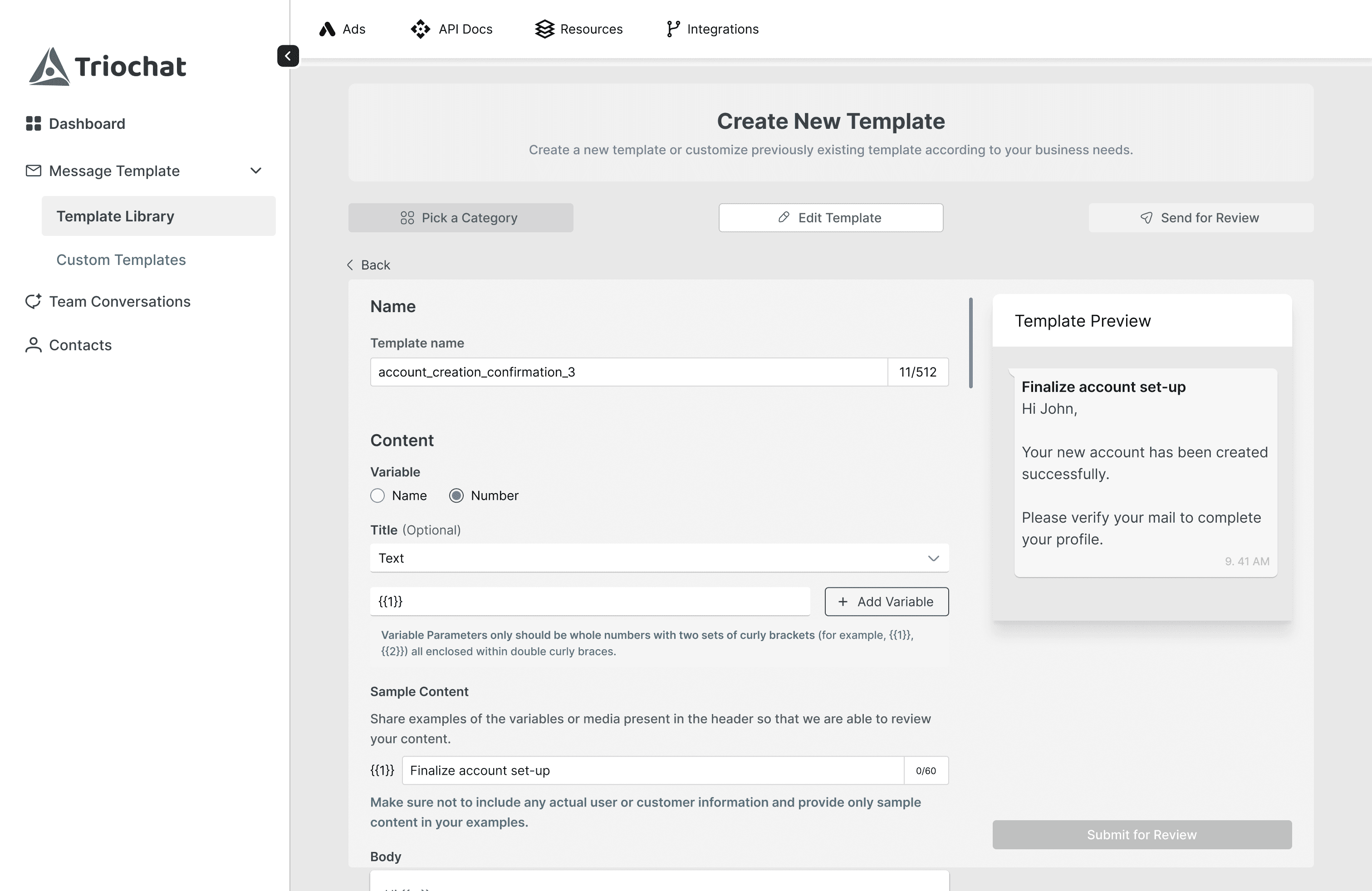
The create new template page lacked user control as there was no way of correcting mistakes made at the previous step without navigating to the last page.
#2
A CTA is present for create new template feature in the template library but no other direct way to reach there if the user is on any other page. This breaks the flow state of the user.
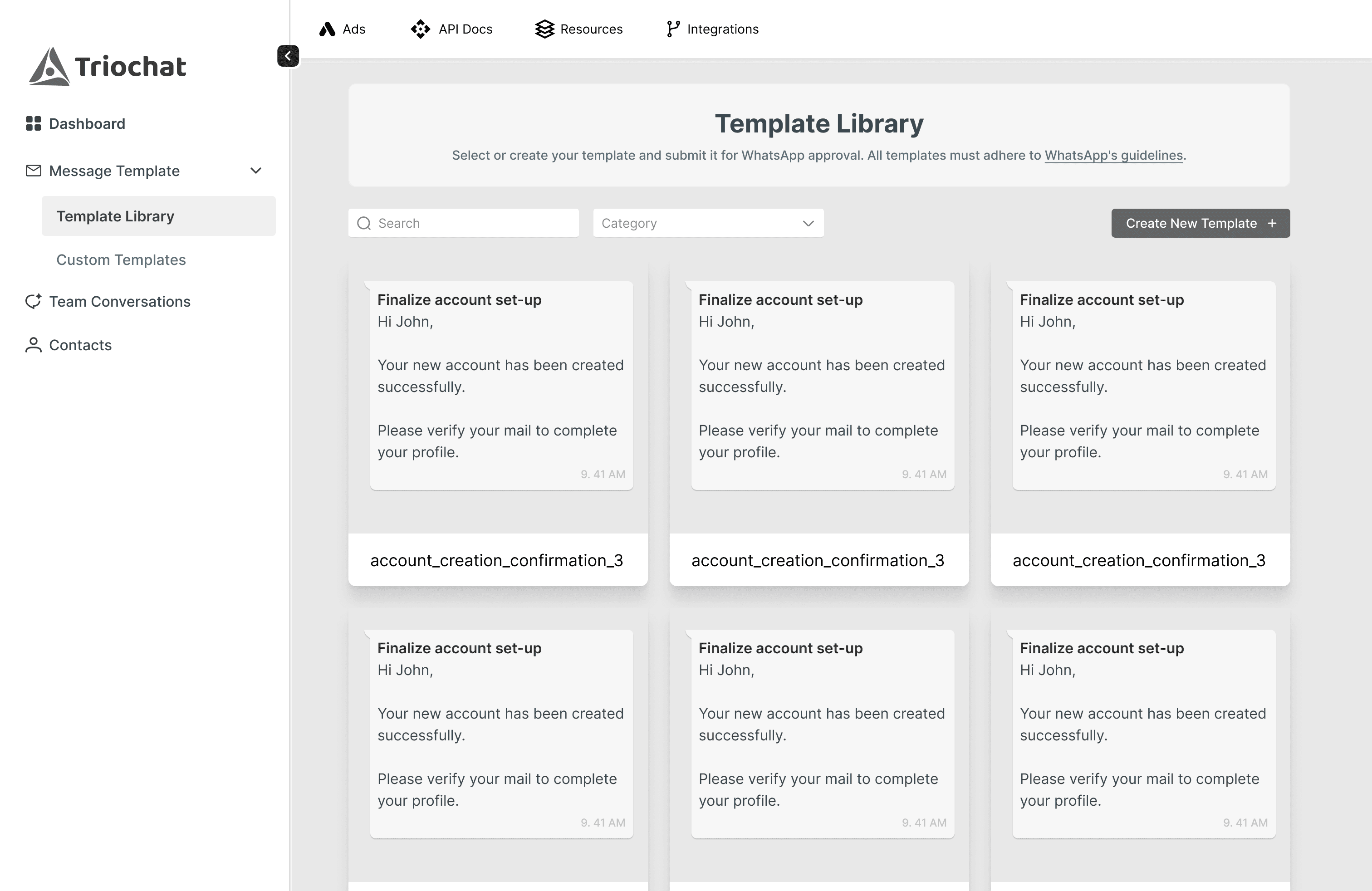
#3
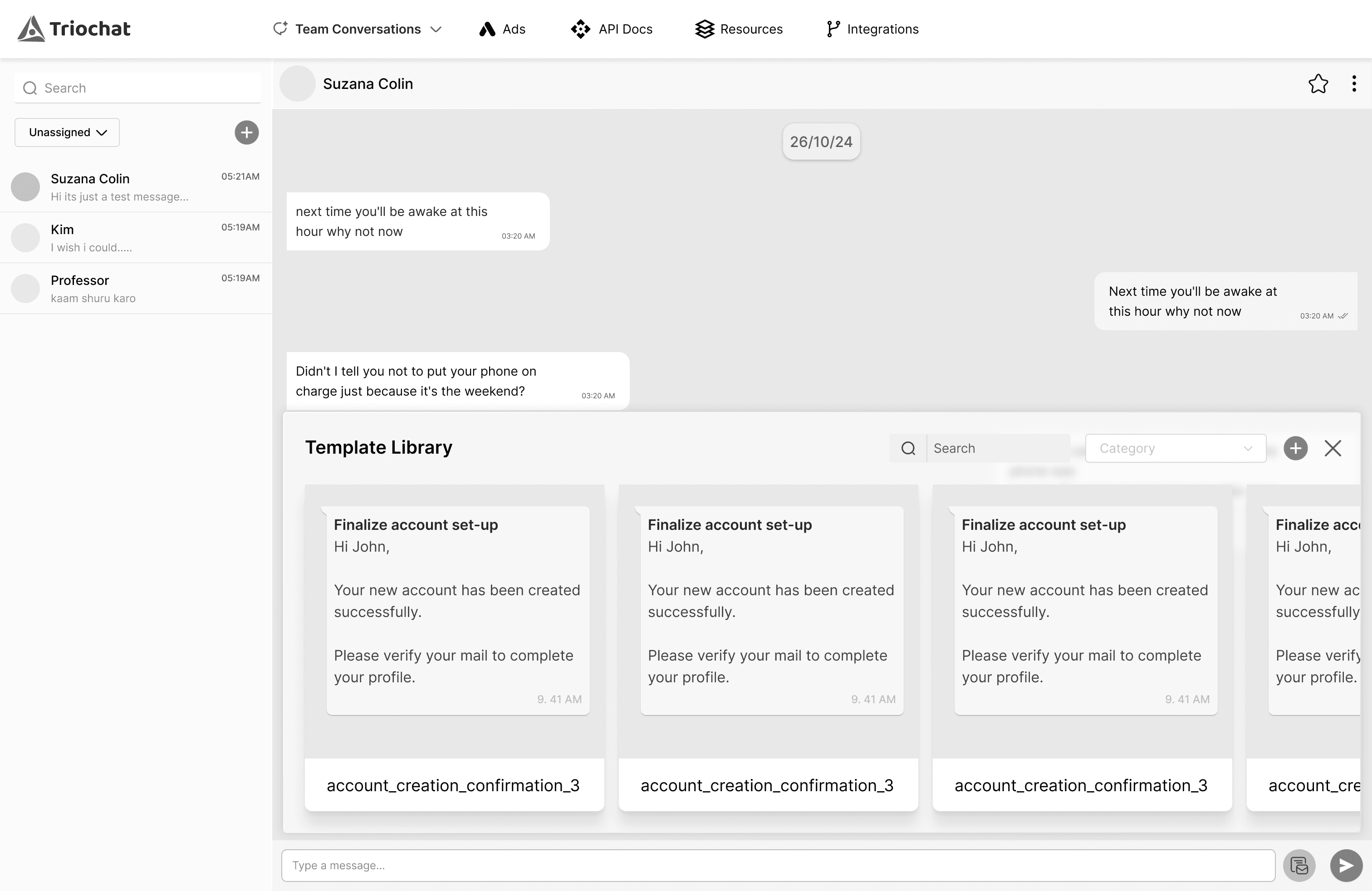
The filtering option on the chat page required a more modern ux.
For sending templates through chats, Initially I designed a small modal that would display the templates. This would not display a lot of templates together nor let the user use more advanced options which could lead them to the template library page, making the modal meaningless.
The Solutions
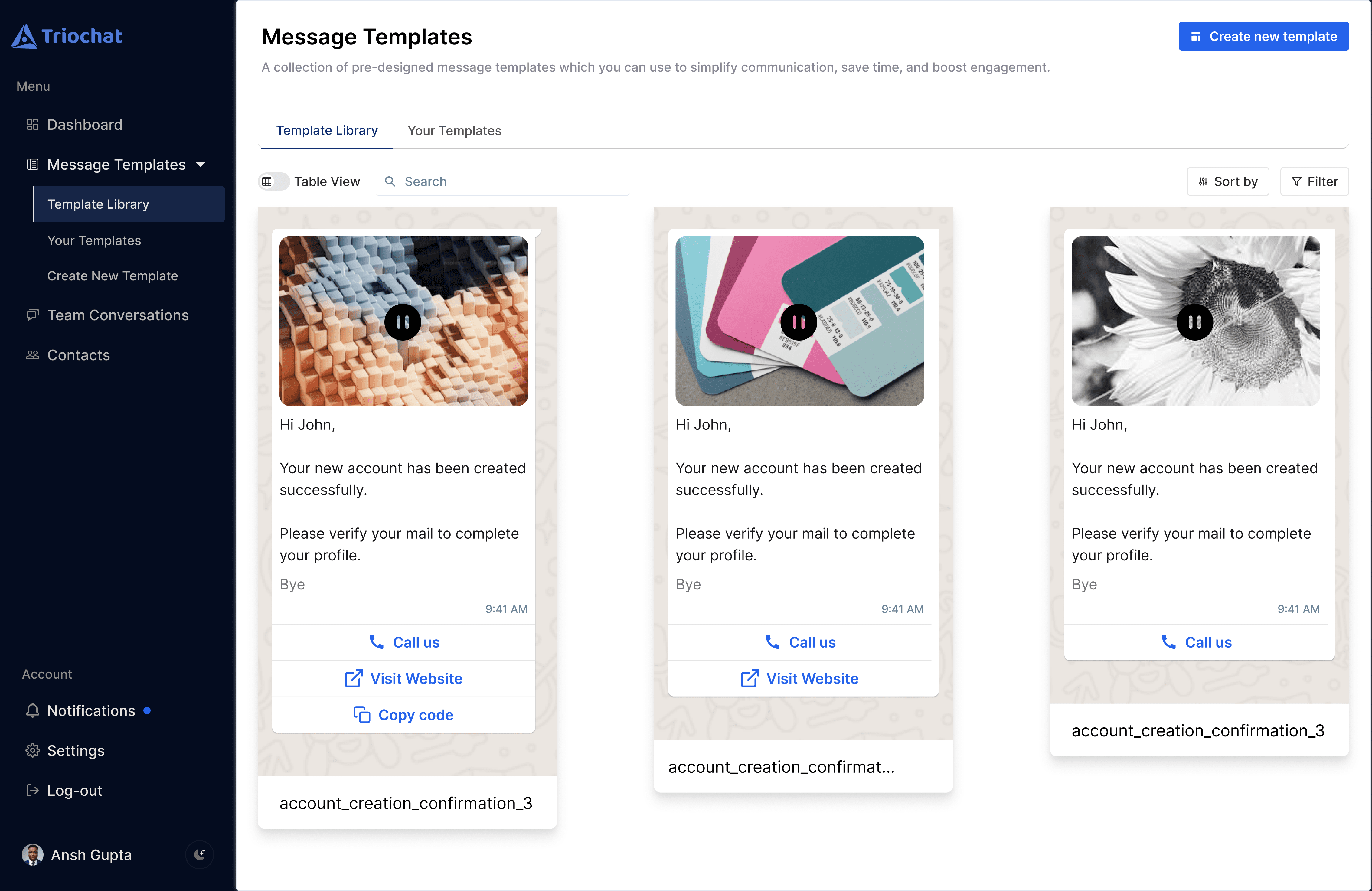
Improving the template searching process
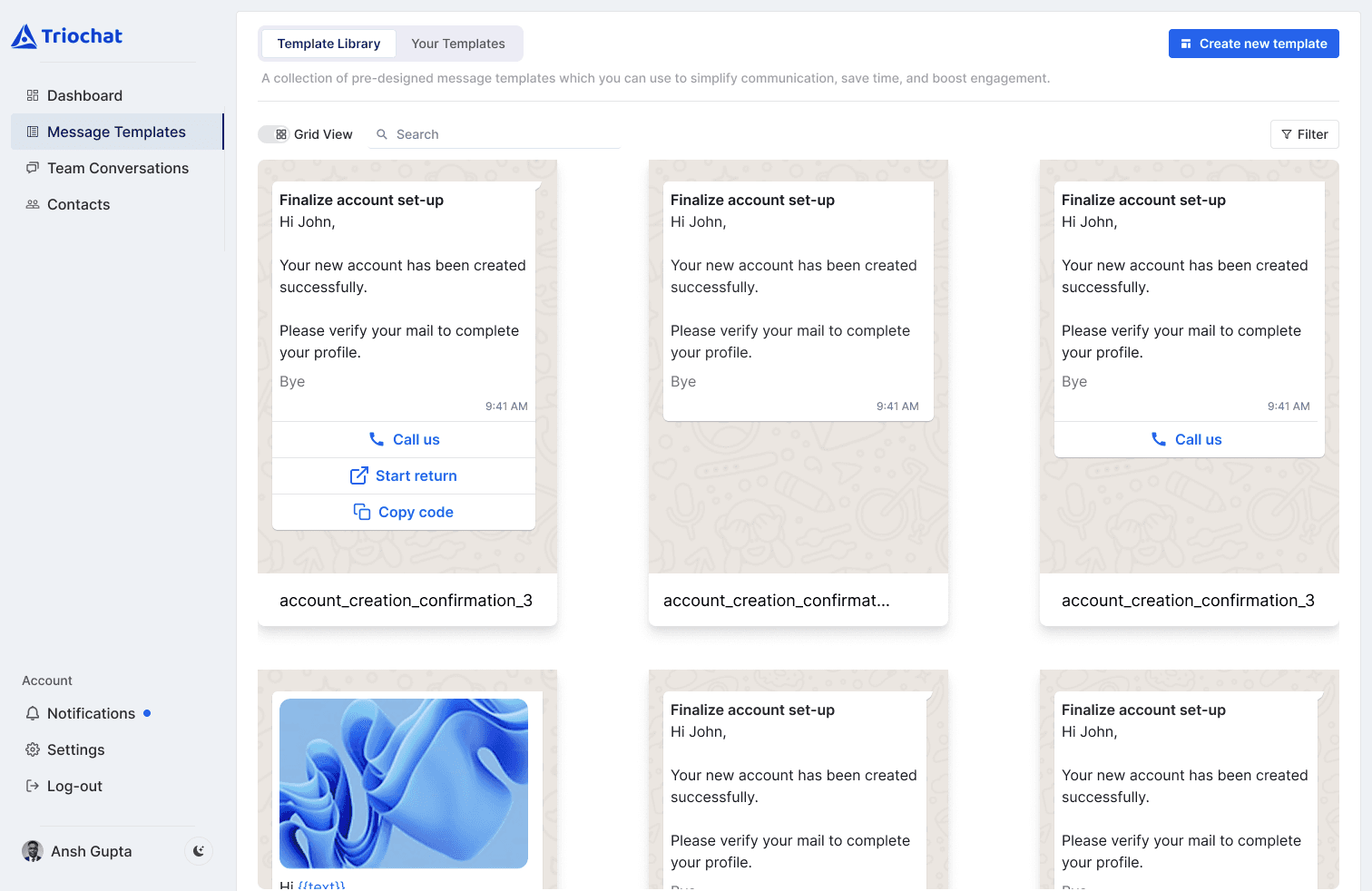
The template library is the page a user will be landing on as soon as they logs into their account.
Filter and Sort
Filters include varied filtering options by which user can deeply specify the kind of template they are searching for.
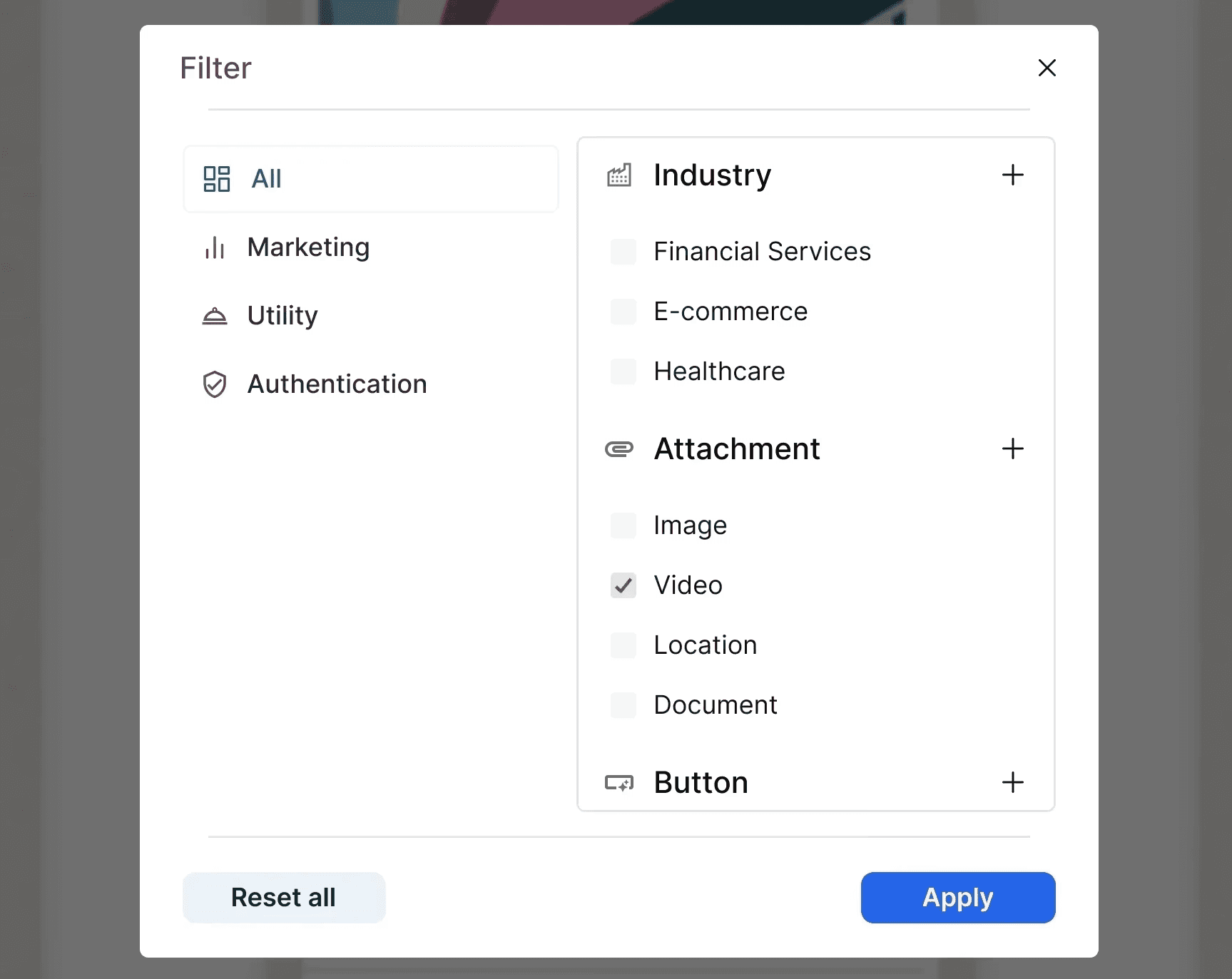
Sort by
A lot of users wouldn't want to waste time on finding a template that works best and would like to rely on trendy and most used templates. Sort by lets the user sort templates according to fields like most popular, recently made.
Viewing Options
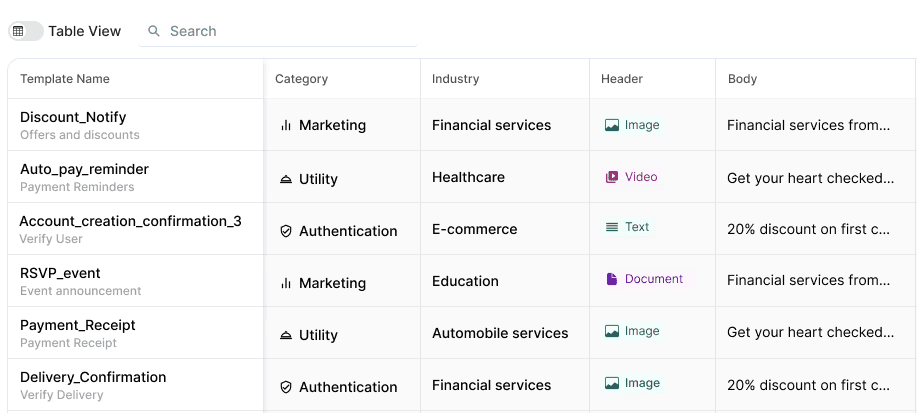
The users can decide the view in which they want the templates to be displayed. They can switch between the grid view and the table view according to their preference.
Creating New Template
Here the users will go choose which category they want their template to be and then fill out the content they want the template to have.
Step 1 - Choosing Template Category
I added color tags next to each sub category, to make the decision easier for the users and reducing the chances of mistakes.
Step 2 - Filling Template Content
I added a copy button and paste button in this page. This will help the user when they want to change the template category but want to fill the same information or want to change just a limited amount of information while keeping the rest same.
There is also a save as draft button right next to the disable CTA so the user can save the draft and continue edit according to their convenience.
Reducing cluttered interface, increasing discoverability
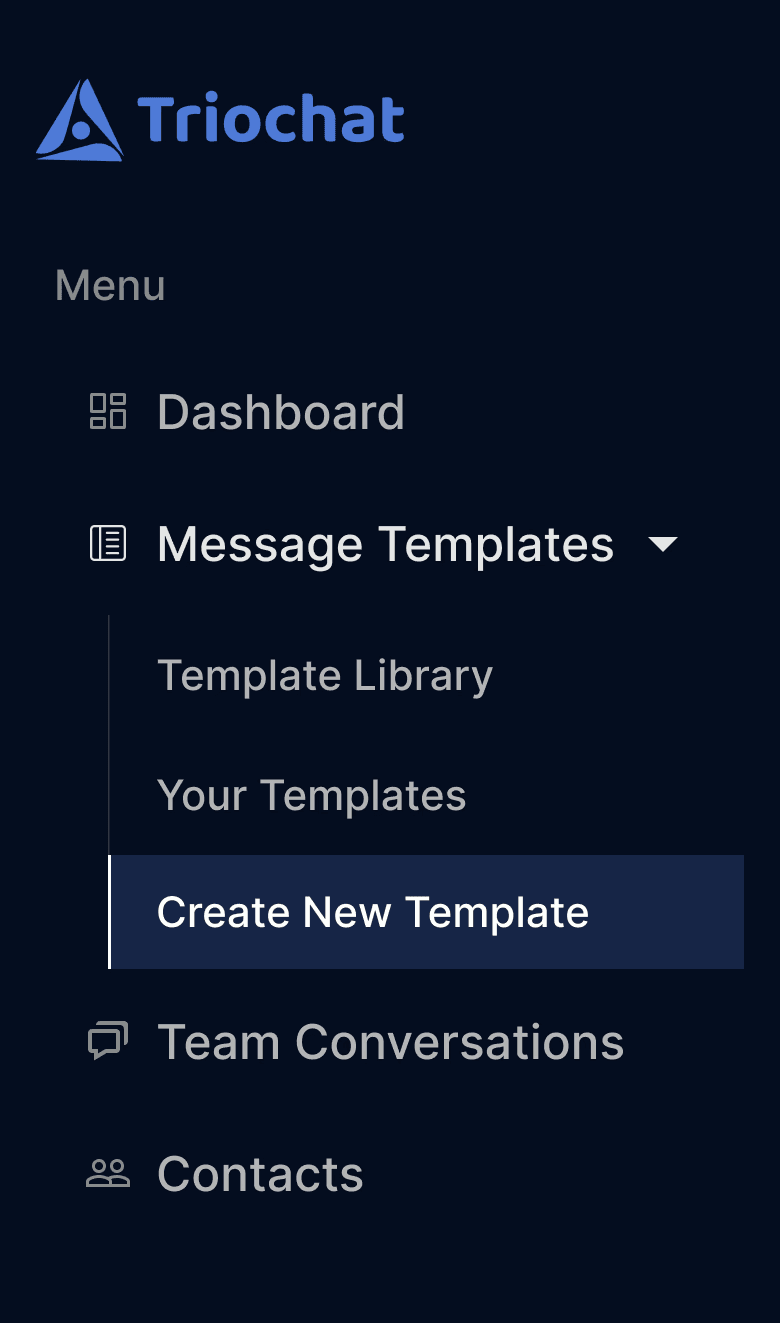
The side bar is made to be specific and minimalistic, where the user can find important pages and actions clearly.
Previously the users had to take 2 steps to find the create new template option i.e. go to the template library page and click on the create new template CTA.
To improve discoverability, I placed a new option in the side bar which is create new template. This directly takes the user to the create new template page when
User guide to help users learn faster
The user guide will help the new users and guide them on how to use the important features on the platform.
Access user controls in lesser clicks
Placing the primary actions like edit contact and delete contact in the table, I reduced user clicked and improved navigation.
Primary #2563EA
#fafafa
#f4f4f5
#e4e4e7
#d4d4d8
#eef1f5
#000000
#a3cfff
#bfdbfe
#27272A
#FFFFFF
ABCDEFGHIJKLMNOPQRSTUVWXYZ
abcdefghijklmnopqrstuvwxyz
1234567890?!^#*
Normal
400
Aa
Medium
500
Aa
Semibold
600
Aa
Bold
700
Aa
Extrabold
800
Aa
XS
12px
SM
14px
MD
16px
LG
18px
XL
20px
2XL
24px
3XL
30px
4XL
36px
5XL
48px
Pack my box with five liquor jugs
Pack my box with five liquor jugs
Pack my box with five liquor jugs
Pack my box with five liquor jugs
Pack my box with five liquor jugs
Pack my box with five liquor jugs
Pack my box with five liquor jugs
Pack my box with five liquor jugs
Pack my box with five liquor jugs
Icons
React icons are used throughout with customized weight to support the minimalistic feel of the project.
Since this was one of my first real world projects as a UI/UX designer, I got to learn a lot
Using lots of sources for inspiration for the design
Researching and using other similar products in the market
Making an entire design system, which wasn't used but the experience counts
Collaborating and communicating with Developers and the product team.
Communicating and justifying design decisions in a way that everyone, whether a designer or not, can understand them.
UI Design's look and feel according to the type of product which here was, a website aimed at businesses.
Next Read..
Case Study
UI/UX Design
Unwind Mental Wellness App
2024
App
An app which helps relax the inner world, allowing space and positivity for mental fitness.
Open
Case Study
Product design
Scooba A Scooter Bag


2022
Automobile Design
Creating a scooter with a bag pack attached to it, reducing the need of carrying heavy backpacks on shoulders
Open
Limited work shown due to company policy.
project overview
style guide: colors, typography, iconography: 2 hours
spacing, radius, text
components: custom and already made: 2 hours
design philosophy: design theory
iterations: first design to last?, changes: 2 hours
Chakra ui components+ customization
dark mode and prototype: user interaction
Users can switch between the dark and light mode according to their taste.
Contacts page. team conversations, create new template.